


Description
Product Overview
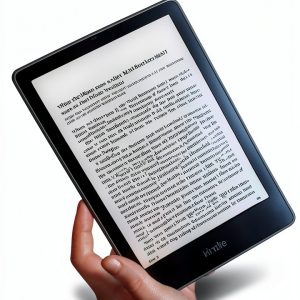
The Microsoft Windows Guide eBook, published October 12, 2025, delivers a clear, concise roadmap for navigating the Windows operating system. At 114 pages and 18.1 MB, this Kindle‑compatible guide covers core functions, system settings, and everyday tasks without unnecessary jargon. Designed for English‑speaking users, it provides straightforward explanations, making complex features accessible to all skill levels.
![[Product front view showing all components]](https://www.rurallife.store/wp-content/uploads/2026/05/2354d8d614ea4a3f81c5354faf5c11d4.jpg)
Usage
Perfect for home offices, classrooms, and remote work environments, this guide helps users set up new PCs, troubleshoot common issues, and optimize performance. Whether you’re installing software, managing files, or customizing privacy settings, the step‑by‑step instructions fit naturally into daily workflows. Ideal for students learning computer basics, professionals needing quick references, and seniors seeking confidence with Windows.
Why Choose Us
Our guide stands out with a high customer rating of 4.9 stars from 171 reviewers, reflecting accuracy and readability. Unlike generic manuals, it focuses on practical tips that save time and reduce frustration. The content is regularly updated to align with the latest Windows updates, ensuring relevance. Backed by Microsoft’s brand reputation, you receive a trustworthy resource backed by thorough editorial review.
Key Features
- Clear, step‑by‑step instructions that reduce learning time
- Practical tips for everyday tasks like file management and system updates
- Optimized for Kindle, allowing easy navigation and searchable text
- Compact 114‑page format that covers essential Windows features without overload
- Responsive customer support with updates and clarification for any questions
FAQ
Is this guide compatible with all Windows versions?
The content focuses on Windows 10 and Windows 11, the most widely used versions, and includes tips that apply to earlier releases where relevant.
Can I read the guide on devices other than Kindle?
Yes, the eBook can be opened on any device that supports the Kindle app, including smartphones, tablets, and computers.
Do I need an internet connection to use the guide?
Once downloaded, the eBook works offline, allowing you to reference it anytime without a connection.
What if I have questions after purchase?
Our support team is available via email to answer any clarification requests and provide additional resources.
Is the guide updated for future Windows releases?
We release periodic updates to incorporate major Windows changes, ensuring the guide remains current.



Reviews
There are no reviews yet.